FINANCE
Invoices and accounting records
Extracts amounts, dates and taxes, checks arithmetic consistency and matches each record to its transaction.

Layer 03 · IDP
INTELLIGENT DOCUMENT PROCESSING
AI document processing for operations with high volumes of invoices, contracts, records, insurance policies, certificates and case files. Cortex reads documents, extracts fields, checks rules and escalates only the exceptions that need human judgment.
Example animation with fictitious data: invoices, contracts and supporting documents that were reviewed by hand reach their case file, AI reads the invoice, extracts amount, contract and taxes and checks them against the contract, and an agent explains that the taxes do not match and the case goes to human review.
What it processes
Cortex doesn't just receive documents. It understands them, extracts fields and decides what a person should review based on business rules, validity and risk level.
Before vs. Cortex
MANUAL PROCESS
WITH CORTEX
Validation engine
Cortex combines automatic extraction, business rules and human review only when risk or uncertainty justifies it.
EXAMPLE · FICTITIOUS DATA
Document validation
SENT TO HUMAN REVIEW
With the extraction, the applied rule and the finding already prepared.
Confirms the file is the document that was requested before it goes to review.
Checks dates, expirations and applicable periods to catch expired documents.
Compares extracted data against forms, contracts, case files, projects or internal rules.
Checks sums, subtotals, taxes, withholdings and amounts to catch calculation errors.
Identifies whether a file is an invoice, contract, receipt, certificate, policy or case file.
When something doesn't add up, it produces the evidence your team needs to decide fast.
Use cases
In a regulated process it can validate records and certificates. In financial services it can read customer files. In procurement it can match invoices, contracts and addenda. The logic changes; the document engine stays the same.
SUPPLIERS
A file for each supplier, certificate and policy expiration tracking, expiration alerts and requirement checks before payments, contracts or access are approved.
See how it worksFINANCE
Extracts amounts, dates and taxes, checks arithmetic consistency and matches each record to its transaction.
PROCUREMENT
Matches what was invoiced against what was contracted and agreed in addenda, and escalates only the differences.
FINANCIAL SERVICES
Reads customer files, verifies they are complete and current, and records evidence of every check.
HEALTHCARE
Classifies and validates the documents attached to an authorization before it reaches review.
BPO / CX
Turns forms and attachments into structured data for operations, with exceptions in plain view.
Supplier compliance
Cortex reviews the documents your organization requires from each supplier, tracks their expiration dates and alerts you before anything expires. You set the rules, based on your policy and your industry.
Each supplier has a file with the documents your organization requires, their status and their history.
Cortex reads the dates on each document and knows when it stops being valid.
Notifies the supplier and the internal owner before a document expires, not after.
Checks type, validity and data against the rules your organization sets for each type of supplier.
EXAMPLE · FICTITIOUS DATA
Supplier file · Demo Supplier Inc.
Alert sent to the supplier and the procurement owner: the policy expires soon and a certificate is missing.
Case study · Grupo ATISA
How we took supplier document validation at a construction company from a manual process that could not be sustained to an operation run by AI, rules and people — without hiring anyone.
95.4%
From 325 to 15 hours per week. Operations stopped being the bottleneck.
25×
From about 2 to 50 documents per hour, without lowering the quality of the validation.
10.3
From 10.8 full-time employees required to half of one person’s time (0.5) with the platform.
Same day
From 15 days of backlog to same-day answers. Projects no longer stall.
79 registered suppliers · measured on a sample of 13 active suppliers (750 documents per week).
Read the full case studyConfigurable operation
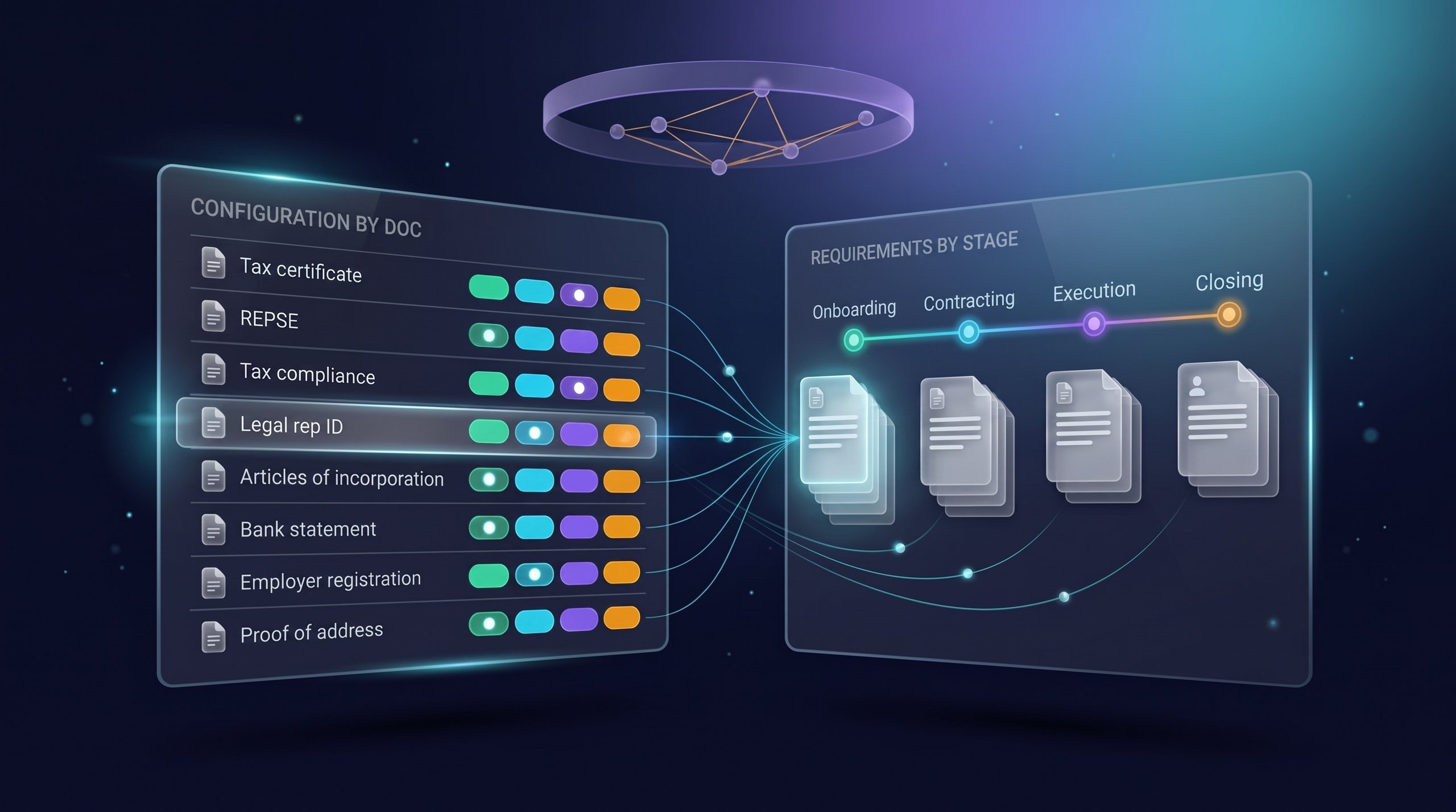
A low-risk document can be approved automatically. A critical one can go to human review with the extraction, rules and findings already prepared.
Rules approve or reject when confidence is high.
The AI decides and notifies the owner with the details.
The AI resolves high-confidence cases and escalates doubtful ones.
Everything goes to a human queue when the risk calls for it.
Architecture
Cortex doesn't replace your existing systems. It works as an intelligence layer that integrates with repositories, ERPs and current workflows.
Reads invoices, contracts, records, certifications and forms. It goes beyond OCR: it turns documents into structured data.
One agent extracts, another cross-checks, another audits consistency and another decides whether to escalate the exception.
Uses rules, history and knowledge bases to link documents to contracts, transactions and case files.
Cortex connects to Alfresco, ERPs, CRMs, portals and external sources through APIs.
Every check records its evidence, source, applied rule and result for document audits.
Team feedback improves rules, exceptions and classification to reduce manual work over time.
Executive dashboard
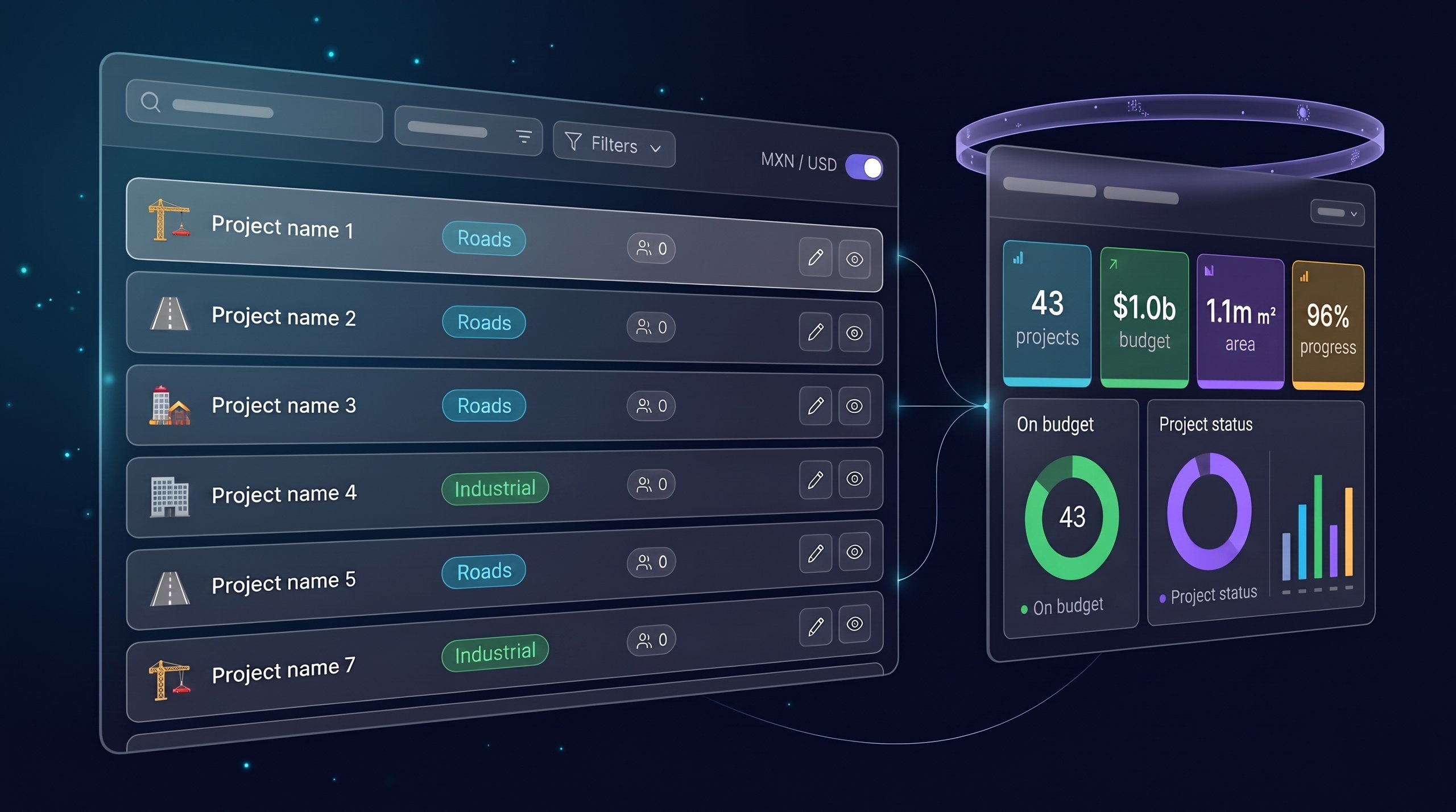
Cortex can show progress, pending items, flagged documents, exceptions and alerts on one dashboard, so operations, procurement, legal, finance and audit work from the same source of truth.
Operating experience
Customers, suppliers or partners upload documents and see status, comments and pending items.
Cortex integrates with your systems or runs from a dashboard with rules, exceptions and metrics.
On the platform
Cortex integrates with document repositories, ERPs, CRMs, supplier portals, internal APIs and external validation sources. Within the Appropia platform, it works alongside the other layers.
Scope is defined per document workflow: integration and rules are validated in the technical assessment.
Cortex assessment
To make the conversation useful, we need to understand volume, process, urgency and your current system. With that, we estimate whether Cortex should start as a pilot, an integration or full automation.
FAQ
What Cortex does, which processes it fits and how it differs from a vertical solution.
Cortex is layer 03 of the Appropia platform: intelligent document processing (IDP). It reads business documents, extracts fields, classifies files, validates rules and keeps a traceable record for audits.
Cortex is built for high-volume document processes: invoices, contracts, insurance policies, certificates, case files, accounting records, authorizations, document audits and operational validation.
No. Cortex uses OCR when needed, but its value is turning documents into validated data, checking them against business rules and escalating exceptions with context.
Cortex can integrate with document repositories, ERPs, CRMs, supplier portals, Alfresco, internal APIs and external validation sources.
Cortex reduces manual review, speeds up response times, improves traceability and lets your team review only exceptions or high-risk decisions.